
I'm Using Grok Bot as My Personal Trainer and Longevity Coach
I turned a Grok Bot named Atlas into my personal trainer and longevity coach. It pulls Tonal, Pixel Watch, Withings, and MyFitnessPal into daily briefs and weekly reviews so I get one answer: what should I do today?

Grok Bot: Giving AI Agents an Actual Job
Grok Bot turns AI from a chatbot into a persistent teammate with its own cloud computer, tools, and recurring jobs. Here’s how I’m using it, what makes it useful, and why agentic AI creates an entirely new security problem.
You Can’t Protect What You Can’t See
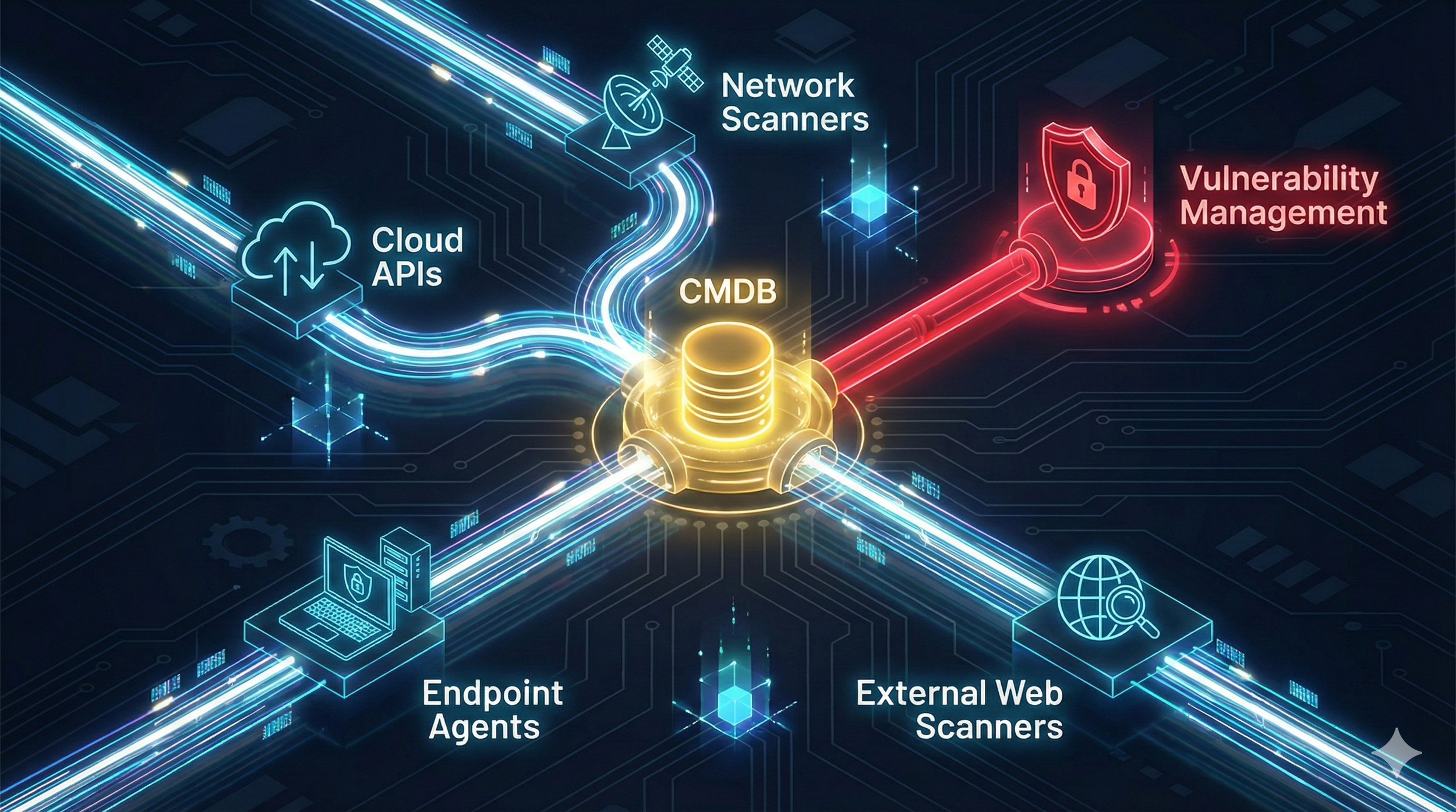
In Vulnerability Management, the rule is simple: you cannot secure what you cannot see. Incomplete inventories mean unscanned systems, unmanaged cloud workloads, shadow IT, and forgotten servers — all prime entry points for attackers. In today’s dynamic environments, static spreadsheets and periodic scans are obsolete. A modern VM program requires continuous, automated asset discovery across traditional IT, cloud, SaaS, IoT, and external-facing assets.
In Your First 90 Days as an AppSec Leader, Measure Before You Move
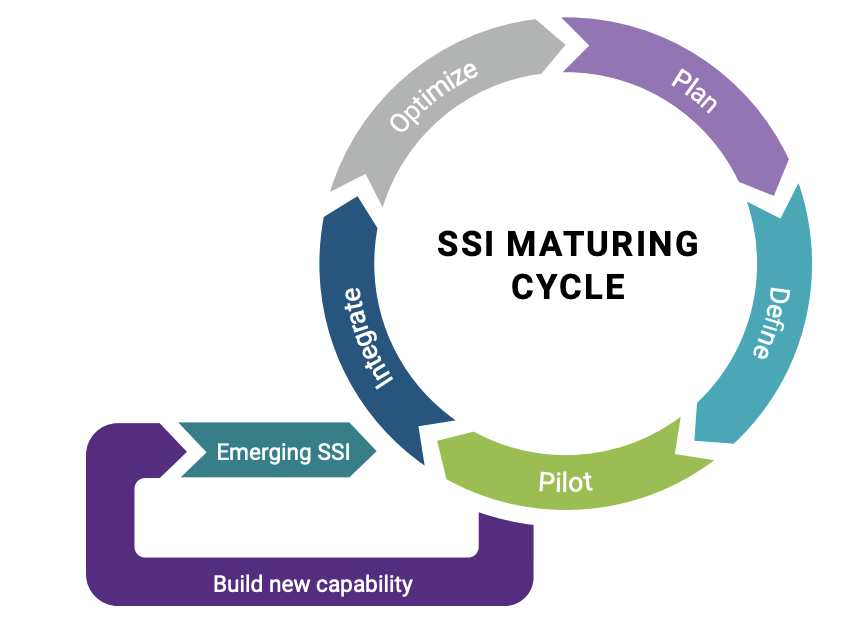
In your first 90 days as an AppSec leader, the smartest move isn’t buying tools — it’s measuring maturity. A structured BSIMM-based assessment creates clarity, aligns engineering with governance, and turns software security into a business risk conversation.
Running OpenClaw with LM Studio: A Secure, Local, and Cost-Effective AI Setup
I walk through how I built a fully local AI agent setup using OpenClaw, Docker, and LM Studio — no cloud APIs, no token costs, and no data leaving my machine. This post covers the architecture, installation steps, model selection, and a few lessons learned along the way. The result is a secure, inexpensive, and highly controllable way to run AI agents locally, ideal for sensitive workflows, experimentation, and real-world security use cases.

Foundations of Governance: Who Actually Owns Risk?
Tools find vulnerabilities, but leadership ensures they get fixed. To transform Vulnerability Management from a technical checklist into a business enabler, security leaders must master the art of translation—converting technical severity into business impact to secure resources and buy-in. By establishing a model of shared responsibility and driving risk-based prioritization, leaders can break down silos between DevOps and Security, ensuring that risk decisions align with the organization's strategic goals rather than just its compliance mandates.

Foundations of Exposure: How the VM Lifecycle Applies to AppSec & AI
Vulnerability Management (VM) is not a mere technical task but a critical business function designed to minimize exposure through a continuous, risk-based lifecycle rather than ad-hoc patching. Whether securing traditional infrastructure or dynamic AI pipelines, the core phases—Discovery, Assessment, Remediation, Validation, and Monitoring—must be adapted to account for modern challenges like ephemeral assets, "shadow AI," and immutable code. By moving beyond static checklists, organizations can shift from reactive maintenance to proactive Exposure Management, ensuring security strategies evolve as rapidly as the technologies they protect.

Using BurpSuite AI to Crack SQL Injection
This post explores how BurpSuite AI can enhance dynamic application security testing by automating payload generation, vulnerability validation, and explanation. Using PortSwigger’s SQL injection login bypass lab as an example, it demonstrates how AI can accelerate pentesting workflows while maintaining control and privacy.

Using Generative AI to Automate Application Security Reviews of Pull Requests
This post explores how generative AI can automate application security reviews by analyzing pull requests for vulnerabilities. It introduces a proof-of-concept using GPT-4, explains the prompt engineering behind it, and outlines how it fits into a CI/CD pipeline to scale secure development.

Building an Application Security Assistant with GenAI
Empower your development team with a self‑service AppSec advisor: this post shows you how to build a Generative AI chatbot that delivers instant, policy‑grounded guidance on secure coding and internal processes. You’ll learn how Retrieval‑Augmented Generation (RAG) uses FAISS to index OWASP and company documents, how LangChain orchestrates loading, chunking, embedding, and query‑handling, and how a carefully crafted PromptTemplate shapes answers to be precise, actionable, and traceable. We walk through a Python POC—from dropping PDFs into a folder through an interactive chat loop—and explore real‑world integrations, including embedding the bot in Slack or MS Teams and adding it to CI/CD pipelines. By the end, you’ll have both the code blueprint and the strategic vision to roll out your own enterprise AppSec chatbot.

From Whiteboards to LLMs: Automating STRIDE Threat Models with GenAI
Threat modeling is critical—but manual approaches are slow and hard to scale. STRIDE GPT is an open-source GenAI tool that generates high-quality threat models from architectural context using the STRIDE framework. In this post, we’ll show how to run STRIDE GPT, use it with a demo app, and explore the prompt engineering that makes it work.

Prompt Engineering in Cybersecurity: From Fundamentals to Advanced Techniques
Prompt engineering is a critical skill for cybersecurity professionals looking to leverage generative AI effectively and safely. By crafting clear, context-rich prompts, teams can enhance tasks like vulnerability analysis, secure code generation, and threat modeling—turning LLMs into powerful tools for automation, insight, and resilience.

How Do LLMs Work?
Ever wondered how Large Language Models like ChatGPT actually work? They’re just predicting the next token—one step at a time! Learn how LLMs generate text, handle context, and why they sometimes hallucinate.

Running a Local LLM with LM Studio and Connecting via Chatbox on Mobile
In this guide, we explored how to set up LM Studio to run a local LLM and connect it to Chatbox on a mobile device. Running an LLM locally provides benefits like privacy, offline access, and reduced latency. By following simple steps, you can install LM Studio, start an API server, and interact with the model from your phone using Chatbox. This setup empowers you with a private and customizable AI assistant on your local machine.

Getting Started with the OpenAI API
The OpenAI API provides access to powerful AI models like ChatGPT, enabling you to integrate advanced natural language processing capabilities into your cybersecurity applications. Whether you want to build a chatbot, generate text, or summarize information, the OpenAI API is a great tool to get started with. This guide will walk you through setting up an OpenAI account, generating an API key, and writing a simple Python script to interact with the API.